
Interface overview
What the extension popup looks like and what each tab does—everything you need on one page.
All settings live in one popup—no separate settings page. Click the toolbar icon to open it.
On/off toggle
The icon at the top turns the extension on or off: color is on, gray is off. When you want subtitles off for a moment, one click is fastest.
Subtitles tab
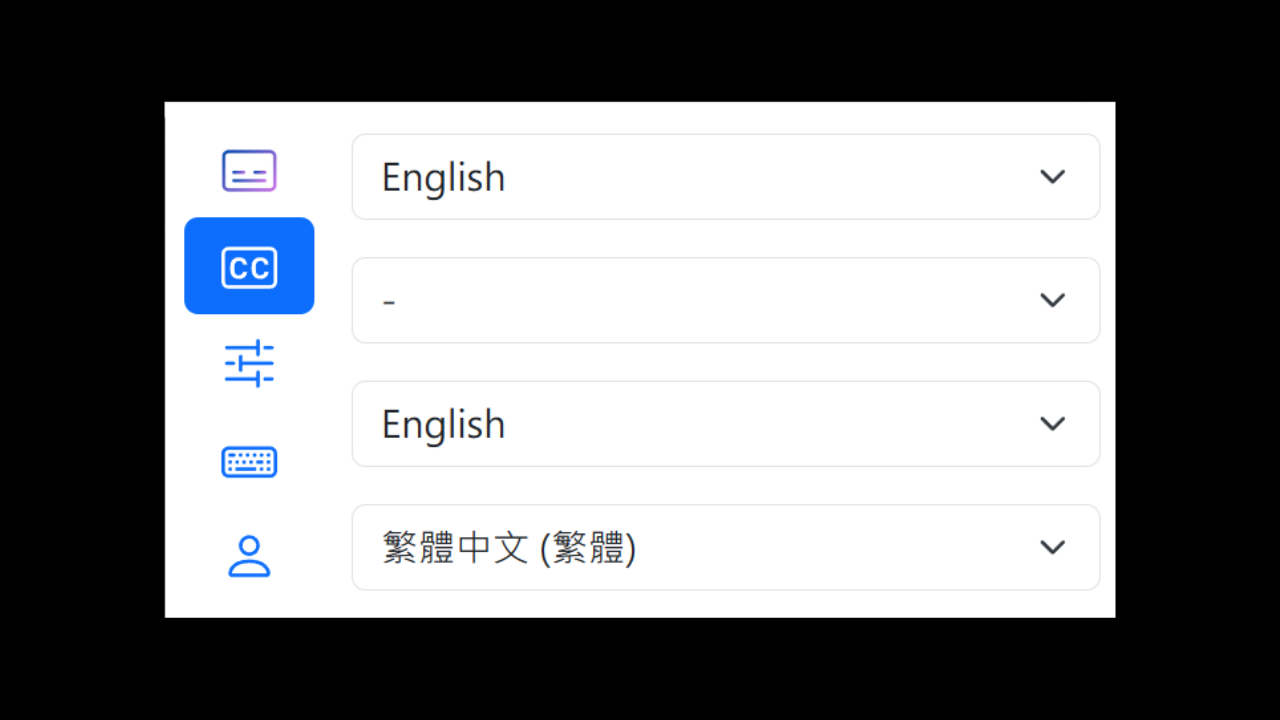
Four dropdown menus: primary subtitle, primary translation, secondary subtitle, secondary translation. This is the tab you’ll use most—switch languages and add comparisons here. See Quick start for details.
Settings tab
Advanced options live here:
- Subtitle position, spacing, and max width
- Translation engine
- Practice modes (watch, dictation, speaking, shadowing, learning)
- Fonts, Style Studio, Furigana, Subtitle reader
- AI Segmentation (turn on for creator captions, Netflix / Coursera)
- Subtitle preprocessing, Upload & download
Shortcuts tab
View and customize keyboard shortcuts—replay, previous line, adjust delay, toggle translation, and more. See Keyboard shortcuts for the full list.
Membership tab
Sign in, sign out, and check your current membership status. To unlock advanced features, subscribe on Patreon first, then sign in here. Steps are in How to subscribe.