
Subtitle list
See the full transcript in a panel—click any line to jump there, and scroll along as the video plays.
The subtitle list lays out the whole video’s dialogue beside the player, like a transcript. Great for jumping back to a line or skimming the content.
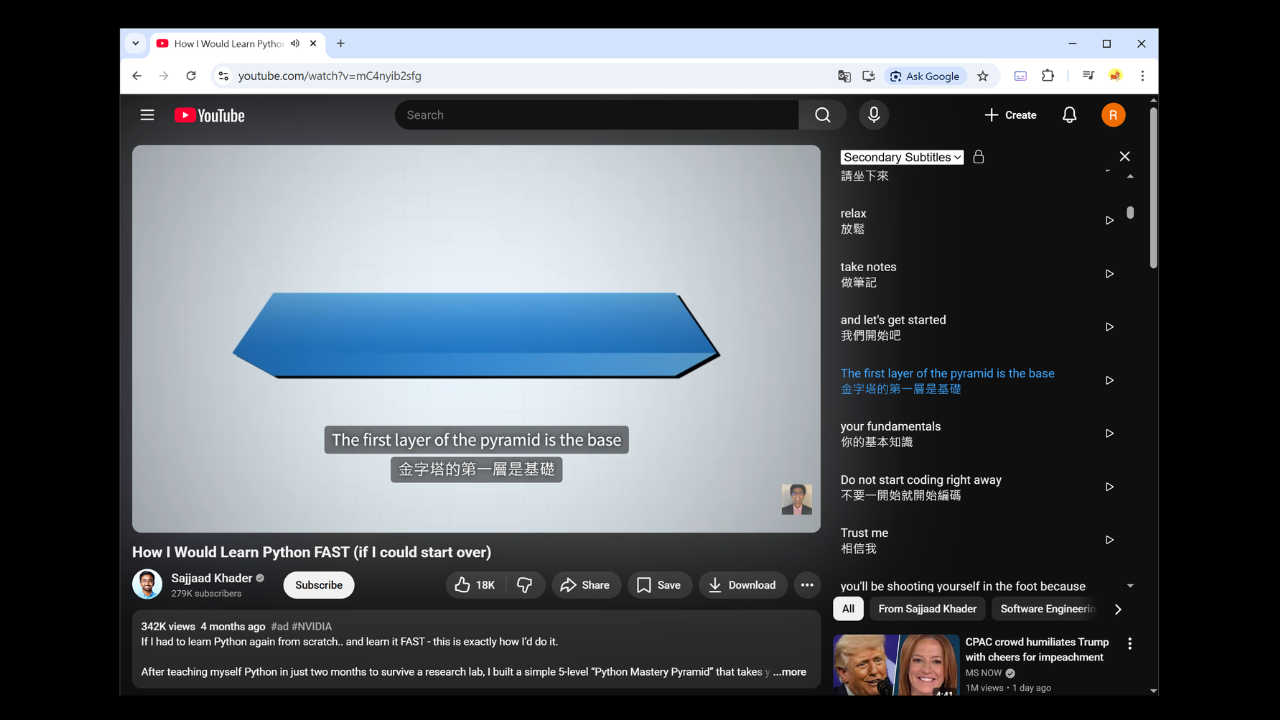
What it does
- Click a line to jump: Go straight to that line’s timestamp.
- Scroll with playback: The list follows the current line automatically.
- Lock / unlock follow: Unlock when you want to browse on your own without being pulled back.
- Switch primary / secondary: View the source transcript or the translation list.
- Copy a full line: Copy dialogue you want to keep.
Layout
Drag the divider between the video and the list to give more space to either the video or the transcript.
Works well with
Pair it with Learning mode when you want to review vocabulary alongside the transcript.